
Setting Up Browser Push Notifications for Back in Stock
Browser push notifications alert shoppers the moment a product restocks, right on their desktop or phone, even when they are not on your site. Push is included on every Dash plan at no cost. You turn it on per campaign; shoppers opt in after signing up.
What shoppers see
- A shopper signs up on the "Notify me" form as usual.
- After the success message, they see an extra button offering browser alerts.
- If they click it, their browser asks for notification permission.
-
Once they allow it, they get a push notification when the product restocks, with a direct link to buy.
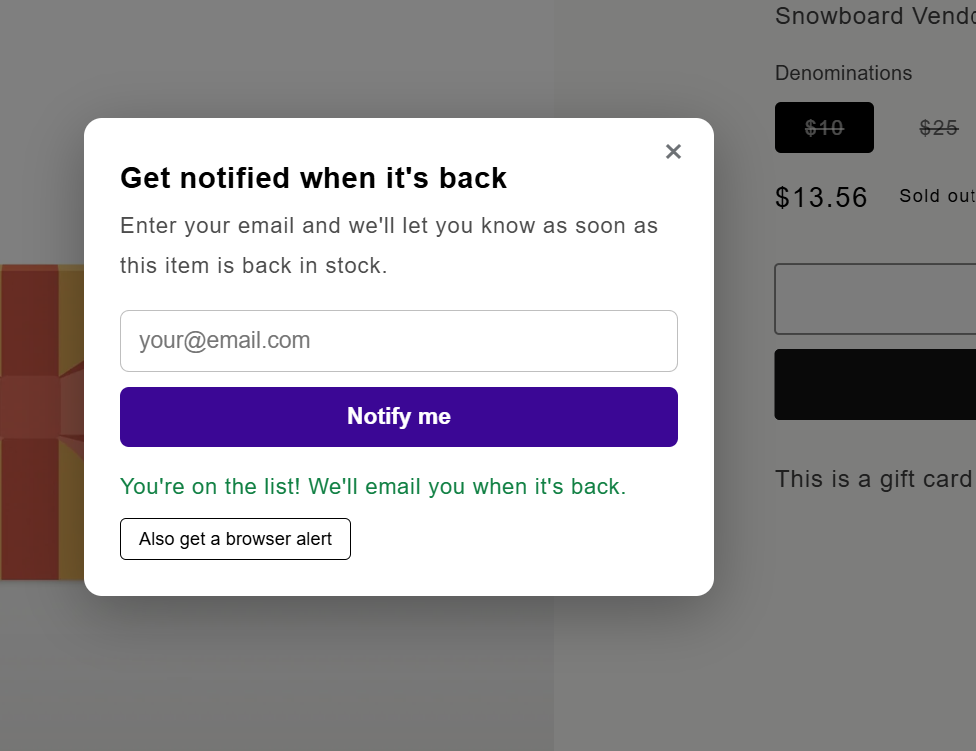
Signup form success state showing the browser alerts opt-in button

How to enable it
- Open the Dash app → Back in Stock → Campaigns.
- Open the campaign.
- Turn on the Browser push channel toggle.
- Click Save.
The opt-in button then appears automatically on the storefront form for products in that campaign. There is nothing to install in your theme beyond the normal Back in Stock block.

Customizing the prompt text
The opt-in button label and confirmation message are theme block settings. Edit them in the theme editor on the Back in Stock Alert block, the same place you edit the form heading and button text.
Good to know
- Push works alongside email. A subscriber who opts into both gets both when the product restocks.
- Push is optional for shoppers. If they dismiss or deny the browser prompt, their email signup still stands.
- Delivery depends on the shopper's device. The browser they subscribed in must be able to receive notifications. If someone denies permission at the browser level, no push can reach them.
-
One click unsubscribes them from the product. Clicking the notification opens the product page, and the visit is tracked for conversions just like an email click.
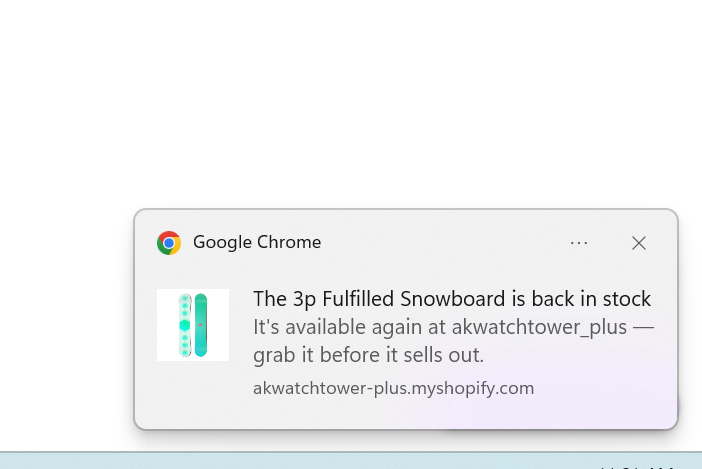
Example desktop push notification showing product name and shop name
Related Back in Stock articles
- Getting Started with Back in Stock Notifications: first-time setup.
- Back in Stock Notification Channels and Plan Requirements: what sends on which plan.
- Understanding Back in Stock conversion tracking: how clicks and purchases are counted.